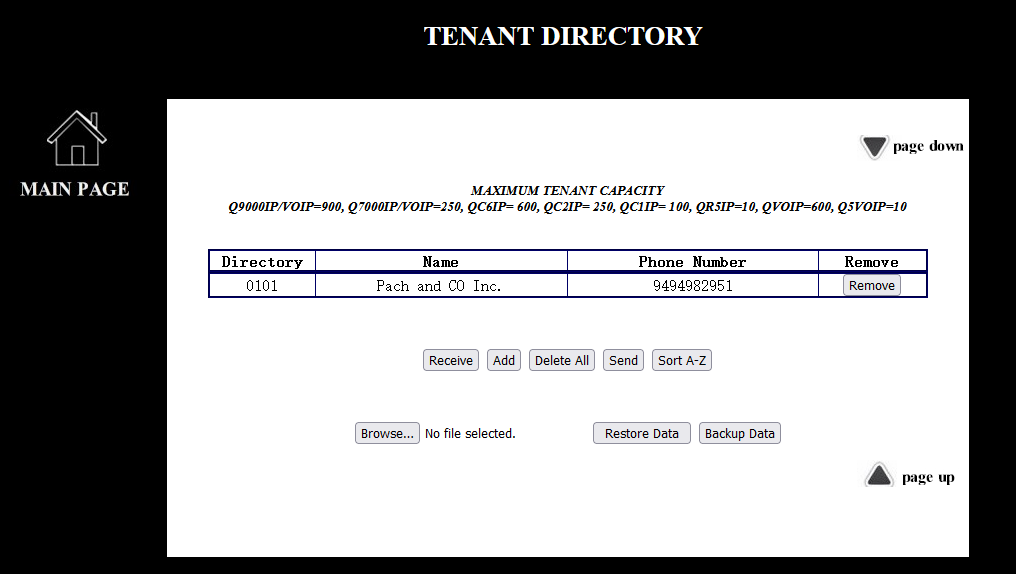
Figure 1


Receiving the tenant directories from Telephone Entry System, use it if the tenant directories are lost.

Add a tenant directory, see Figure 2
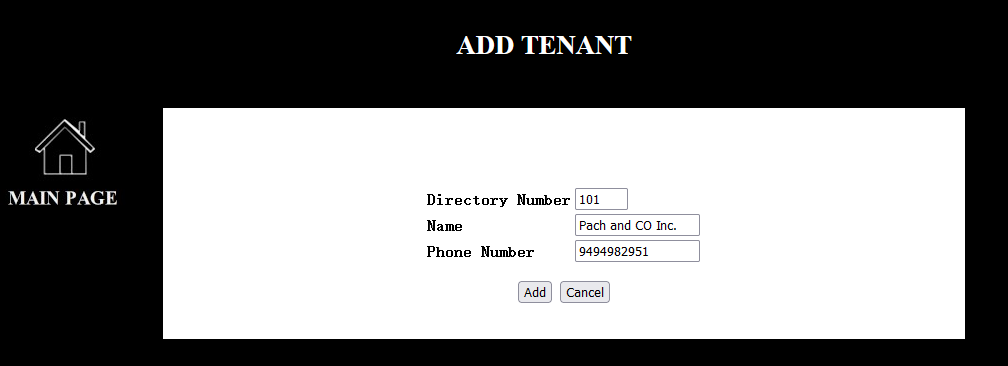
Figure 2
Q9000IP and Q9000VOIP Series, 3-digit directory is a default setting, change the directory digit at the telephone entry system on function code 19
QC, QVOIP, Q7000IP and Q7000VOIP Series 2-digit directory is a default setting
Change the directory digit at the telephone entry system on function code 19
Adding a new tenant directory, see Figure 1

Cancelling a new tenant directory

Removing a tenant directory. Do not remove it if the screen is on sorting A-Z

Deleting all the tenant directories from the QWCM Web-Based module and Telephone Entry System. Back up the tenant directories before deleting all tenant directories.




Restoring the tenant directories from a backup file. Click
 and select
Tenant_Config and click
and select
Tenant_Config and click
Sending the tenant directories database to telephone entry system